Skip to content
Pionex Trading Bot
  • Start Pionex Bot
  • Trading Bots
    • Grid Trading Bot
    • Signal Bot
    • Reverse Grid
    • DCA Bot
    • Rebalancing Bot
    • Infinity Grid
    • Leveraged Grid
    • Leveraged Reverse Grid
    • Margin Grid
    • Crypto Arbitrage Bot
    • Stop Limit
    • Trailing Bots
    • TWAP
  • Futures Trading
    • Futures Grid
      • Futures Grid bot FAQ
      • Pionex Futures Grid Bot – Long
      • Pionex Futures Grid Bot – Neutral
      • Pionex Inverse Futures Grid
      • Pionex Cross Margin Futures Grids Bot
    • Futures Trading Concepts
      • Funding Fee
      • Mark Price
      • Index Price
      • Notional Value
      • Initial Margin
      • Maintenance Margin
      • Liquidation
      • What are Makers and Takers?
      • Beginner’s Guide to TP/SL (Take Profit and Stop Loss)
      • How to Choose “Last Price” or “Mark Price” for TP/SL?
  • Earn
    • Arbitrage Bot
      • Whats Crypto Arbitrage Trading Bot?
      • Pionex Arbitrage Bot(Moderate mode)
    • Dual Investment
      • Dual Investment – User Guide
      • Pionex’s Buy-the-Dip: Buy Crypto at Target Price While Earning Passive Income
      • Covered Gain: Earning Passive Yield and Sell More at Your Target Price
    • Lending
    • Staking
      • Pionex Staking Service Reminders
      • Everything about Pionex ETH staking
    • Structured Loan
    • User Manual for Easy Earn
  • More
    • Pionex Terms of Service
    • Pionex User Conduct Code
    • Pionex Affiliate Program v3
    • Disclaimer
  • Community
    • Telegram
    • Discord
    • Reddit
  • English
    • English
    • 日本語
    • 繁體中文
    • 한국어
    • 简体中文
    • ไทย
    • Español
    • Português
    • Français
    • Türkçe
    • العربية
    • Tiếng Việt
    • Italiano
    • Deutsch
    • Русский
    • Bahasa Indonesia
Search
Pionex Trading Bot
Menu

How to Withdraw Money from Pionex to Card or Bank Account

  • Default imagekevin
  • July 26, 2023
  • Buy & Sell Crypto, Support Center

1. Sign in and Choose “Express”

Log in to our official website(Pionex | Bitcoin Ethereum Auto buy low and sell high | Free Crypto Trading Bot ), and you can find “Buy Crypto” in the menu. Click “Express” to proceed.

2. Choose sell and fill in the relevant information.

It should be noted that the channel usage fee is affected by the payment method. Please refer to the handling fee on the final order page.

3. Read and agree to the disclaimer

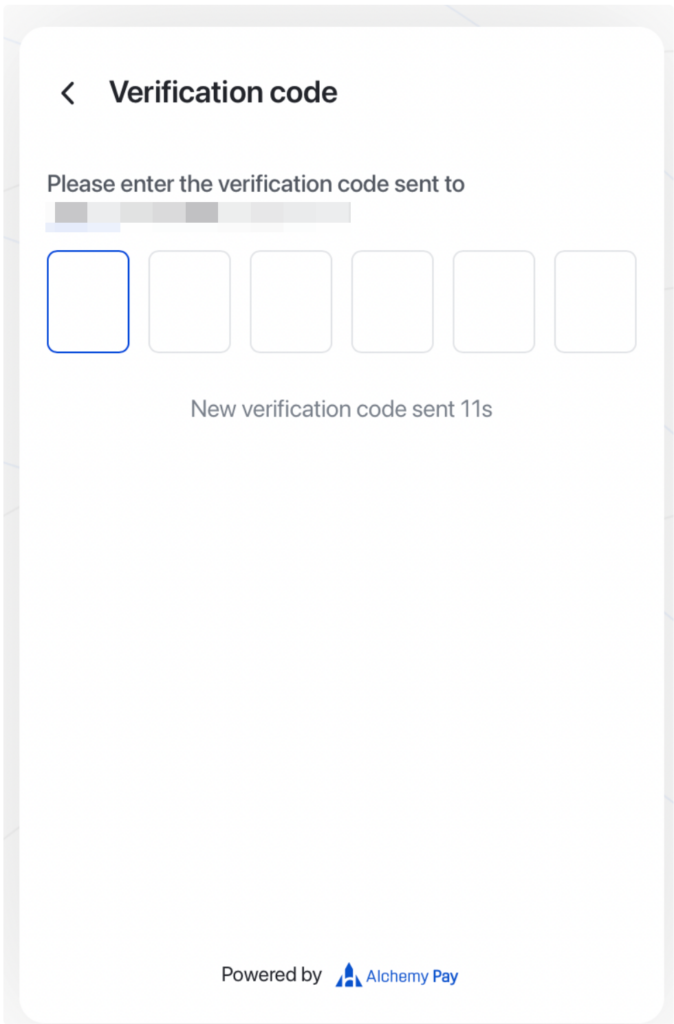
4. First-time users need to log in to Alchemy Pay and complete KYC. 
5. You can choose card or bank transfer

Different channels may have different fees and arrival times. 

Especially noteworthy is that the name filled out must match the name on your Pionex KYC, otherwise it will lead to a failed selling. 

6. After confirming the submission, you will be redirected to the withdrawal page to proceed with the withdrawal.


The address and amount can no longer be modified. After confirmation, following the 2FA process can complete the withdrawal. 

7. After a successful withdrawal, wait for the bank to receive the funds.

Once the funds arrive, Pionex will send an email notification, and you can also check it in the order history. 

Related posts:

  1. Pionex Terms of Service
  2. Bittrex Review 2021|Bittrex Trading Bots and Pricing
  3. Tutorials- Zero Fees for Depositing British Pounds and Euros(Pionew UAB)
  4. Pionex Lite FAQ
  5. How to Withdraw from Pionex
  6. I invested 500 usdt asdn after a month I stopped Grid Bot, with a 20 usdt profit . When I wanted to withdraw I had only approx 300 usdt and therest approx 0.0035 btc . BTC remained in account and without any possibility to withdraw, because of your limit. Please, how Could I proceed in this situation ?
  7. If we use reverse grid bots, do we gain money when the coin price drops and lose money if the price increases?
  8. I cant invest 100% of my money in leverage. The question is can i invest 100% of my money in normal grid bot ? Not just 50%
Bank AccountFiat CurrencyPionexWithdrawal

Recent Posts

  • Trump’s Q1 2026 Stock Portfolio: Apple, Tesla, NVIDIA and Other Assets You Can Trade With USDT on Pionex
  • Pionex Card : The Crypto Card That Actually Pays You Back
  • How to Buy SiTime (SITMX) Stock With USDT on Pionex
  • How To Trade CEGX on Pionex
  • How to trade GE Vernova (GEVX) on Pionex

Recent Comments

  1. Brian on Pionex Infinity Grid Bot V.S. Grid Bot
  2. Jason on Infinity Grid
  3. Hendri Farizal on Leveraged Grid
  4. Rakotovao on Pionex Spot-Futures Arbitrage Bot(Aggressive mode)
  5. Jason on Pionex Spot-Futures Arbitrage Bot(Aggressive mode)
Copyright ©2023 Pionex Crypto Trading Bot
  • Start Pionex Bot
  • Trading Bots
    • Grid Trading Bot
    • Signal Bot
    • Reverse Grid
    • DCA Bot
    • Rebalancing Bot
    • Infinity Grid
    • Leveraged Grid
    • Leveraged Reverse Grid
    • Margin Grid
    • Crypto Arbitrage Bot
    • Stop Limit
    • Trailing Bots
    • TWAP
  • Futures Trading
    • Futures Grid
      • Futures Grid bot FAQ
      • Pionex Futures Grid Bot – Long
      • Pionex Futures Grid Bot – Neutral
      • Pionex Inverse Futures Grid
      • Pionex Cross Margin Futures Grids Bot
    • Futures Trading Concepts
      • Funding Fee
      • Mark Price
      • Index Price
      • Notional Value
      • Initial Margin
      • Maintenance Margin
      • Liquidation
      • What are Makers and Takers?
      • Beginner’s Guide to TP/SL (Take Profit and Stop Loss)
      • How to Choose “Last Price” or “Mark Price” for TP/SL?
  • Earn
    • Arbitrage Bot
      • Whats Crypto Arbitrage Trading Bot?
      • Pionex Arbitrage Bot(Moderate mode)
    • Dual Investment
      • Dual Investment – User Guide
      • Pionex’s Buy-the-Dip: Buy Crypto at Target Price While Earning Passive Income
      • Covered Gain: Earning Passive Yield and Sell More at Your Target Price
    • Lending
    • Staking
      • Pionex Staking Service Reminders
      • Everything about Pionex ETH staking
    • Structured Loan
    • User Manual for Easy Earn
  • More
    • Pionex Terms of Service
    • Pionex User Conduct Code
    • Pionex Affiliate Program v3
    • Disclaimer
  • Community
    • Telegram
    • Discord
    • Reddit
  • English
    • English
    • 日本語
    • 繁體中文
    • 한국어
    • 简体中文
    • ไทย
    • Español
    • Português
    • Français
    • Türkçe
    • العربية
    • Tiếng Việt
    • Italiano
    • Deutsch
    • Русский
    • Bahasa Indonesia