
Pionex | Updated September 3, 2026
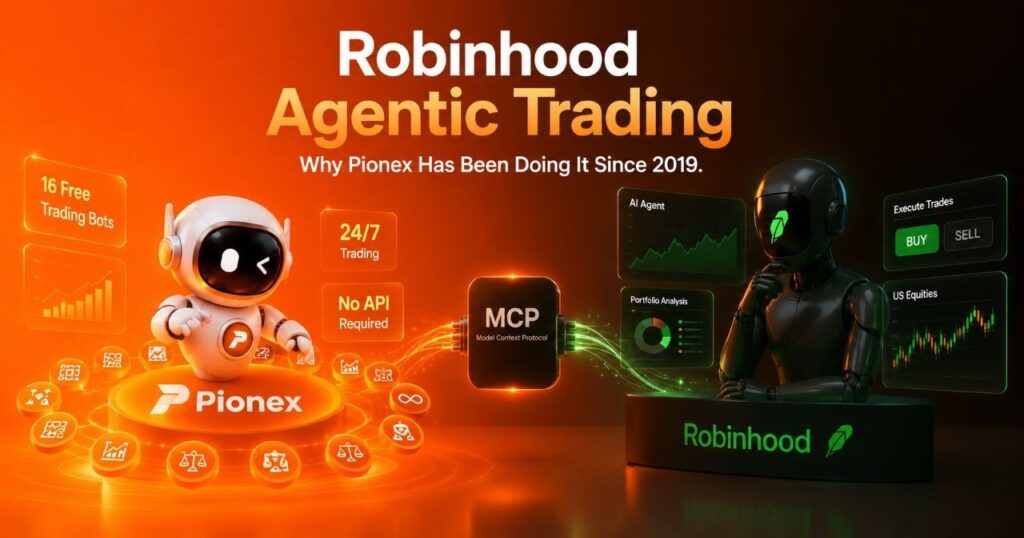
Robinhood agentic trading setup requires an external AI agent, an MCP connection and a funded Agentic account. Pionex built-in bots use a different workflow: you choose a bot and configure its trading rules inside Pionex. The choice is about how orders are generated and controlled, not simply whether a product uses the word AI.
Robinhood now supports agent-submitted long equity, options and crypto orders, subject to eligibility. Pionex offers built-in rule-based bots, while Pionex.AI provides research, coding and backtesting tools. These are distinct workflows, not interchangeable products. See Robinhood’s supported agent orders.
Contents
- 1 What Is Agentic AI Trading?
- 2 What Robinhood’s Agentic Trading Actually Is And What It Is Not
- 3 How to Set Up Robinhood Agentic Trading
- 4 Pionex Built-In Bots Follow Configured Trading Rules
- 5 What Is Robinhood MCP — And What Does Pionex MCP Do?
- 6 No API Required : The Difference That Matters
- 7 Pionex Built-In Bots vs Robinhood Agentic Trading
- 8 How Pionex.AI Fits the Pionex Bot Workflow
- 9 Frequently Asked Questions
What Is Agentic AI Trading?
Agentic trading uses an AI agent to interpret information and take trading actions through connected tools, within the permissions and instructions a user grants.
An agent can combine research, reasoning and tool calls in a multi-step workflow. Whether it requests approval before an order depends on its instructions and controls. Continuous operation and unrestricted trading are not defining requirements.
A price alert informs you; an order instruction defines an execution condition; a rule-based bot repeats configured logic. An AI agent may select and use those tools, but automation alone does not make every trading bot an AI agent.
For a useful comparison, separate three jobs: researching a strategy, testing it on historical data, and executing orders with real funds. Each needs its own permissions and risk checks.
Trade Over 80 Assets From Trump’s 2026 Stock Portfolio: Apple, Tesla, NVIDIA & others on Pionex
What Robinhood’s Agentic Trading Actually Is And What It Is Not
Robinhood connects a separately supplied AI agent to trading tools through MCP. The current product is broader than an equities-only launch description.
Supported orders: Agents can submit long equity, options and crypto orders. Product access and order eligibility still apply. Robinhood’s trading-with-your-agent guide describes the supported actions; do not assume that every Robinhood product is available to an agent.
Account boundary: Trading is restricted to the dedicated Agentic account, but the connection can read information across your Robinhood accounts. A separate trading budget is not the same as isolated data access. Review the account-access and eligibility requirements before connecting.
Control and risk: You supply the external agent and its instructions. Robinhood provides trade notifications and the ability to disconnect, but disconnection should not be described as a guaranteed instant stop. Its Agentic Trading disclosures warn that intervening in real time can be difficult.
How to Set Up Robinhood Agentic Trading
The setup starts with an eligible Robinhood individual account and an external AI platform. Complete the connection and onboarding before allowing any live trading.
- Check that your individual Robinhood account is in good standing and that Agentic Trading is available to you.
- Choose an external AI platform that supports the Robinhood MCP connection.
- Connect and authenticate on desktop, then follow the prompts to open the Agentic account.
- Fund the dedicated account with the amount you intend to allocate.
- Complete any additional options or crypto eligibility steps. Crypto requires the corresponding account and agreements.
- Set agent instructions and approval boundaries, inspect proposed actions, and monitor orders and balances.
On Pionex: For a built-in bot, select an eligible market, review parameters, allocate funds and confirm. This native workflow does not require connecting an external AI agent or managing a third-party API key. Account access, minimum investment and product restrictions still apply.
Pionex Built-In Bots Follow Configured Trading Rules

Pionex built-in bots automate defined rules. A grid bot, for example, places orders around selected price levels rather than independently deciding a new investment thesis. An AI-generated parameter suggestion does not change that distinction.
Use this native route when you want a defined strategy with settings you can inspect. It still requires monitoring, and a running bot can lose money.
Examples of Pionex rule-based automation include:
Spot Grid Bot: Places buys and sells within a selected range. Outside that range, grid cycles can pause while the remaining holdings still carry market risk.
Futures Grid Bot: Applies grid rules to futures. Leverage introduces liquidation risk. Check the selected contract, mode, margin and minimum investment before confirming.
DCA (Martingale) Bot: Adds safety orders at configured price declines and uses a take-profit target for the accumulated position. This is not the same as a simple recurring purchase schedule.
Infinity Grid Bot: Removes the fixed upper grid boundary. It remains exposed to the asset’s price and does not guarantee a positive total return.
Martingale settings: Price scale, safety-order count and volume scale determine how exposure grows as the price falls. A rebound is not guaranteed.
Smart Trade: Uses configured entry and exit conditions. Review the available take-profit, stop-loss and trailing controls in the product before placing an order.
Bot availability and settings can change. Treat the current order panel as the final check for supported markets, investment requirements and fees; do not assume one universal minimum or that automation removes risk.
What Is Robinhood MCP — And What Does Pionex MCP Do?

MCP is the connection layer, not the trading strategy. It gives an AI application a standard way to discover and use tools.
MCP stands for Model Context Protocol. In a trading workflow, a connector may expose market data, account information and order actions. Read access and permission to change an account should be considered separately.
The Pionex trade MCP toolset includes market data, account and wallet views, orders, bot management and Dual Investment functions. The tools available to a particular user depend on the connector, account and permissions.
Robinhood supports agent orders in equities, options and crypto. Pionex’s connector includes crypto-market and bot-management tools. For tokenized stock markets, check the exact symbol and product type rather than assuming it represents direct share ownership. Examples of Pionex tool functions include:
Read-only actions:
- Recent trades for a supported pair: price, size, side and timestamp
- Spot account balances across all currencies
- Full wallet overview across Spot/Bot Account and Futures/Trader Account with USDT and BTC valuations
- List and inspect open orders and order fills
- Inspect spot grid, futures grid, and smart copy bot orders
- AI-recommended spot grid parameters for supported pairs
- Dual Investment balances
Trading and account-changing actions:
- Create spot orders: limit, market buy or market sell
- Cancel individual orders or all orders for a symbol
- Close spot grid and smart copy bots
- Collect settled Dual Investment earnings into spot
A sensible research workflow is to inspect market data, current exposure and bot settings before preparing a proposed action. Require confirmation for live changes unless you have deliberately authorized a different policy. The presence of a trading tool is not permission to use it, and an AI recommendation is not a guarantee of suitability.
No API Required : The Difference That Matters
Robinhood’s agentic trading requires users to bring an external AI agent and connect it via MCP. The infrastructure is Robinhood’s; the agent configuration is yours.
The important distinction is native bot use versus an external connection. If you choose a separate AI-agent or MCP workflow, review the credentials, data access and action permissions that workflow requires.
Pionex’s built-in bot route avoids an external connector, but it does not eliminate platform outages, configuration mistakes or market losses. “No API setup” applies to native bot use, not every possible Pionex integration.
Pionex Built-In Bots vs Robinhood Agentic Trading
| Workflow | Pionex built-in bots | Robinhood Agentic Trading |
|---|---|---|
| Decision process | Configured bot rules | External AI agent and its instructions |
| External agent needed | No for native bots; separate for MCP workflows | Yes |
| Market scope | Supported crypto and tokenized-product markets; check each bot | Long equities, options and crypto, subject to eligibility |
| Setup | Choose bot, market, parameters and allocation | Connect MCP, complete onboarding and fund Agentic account |
| Control | Review bot settings, positions and stop controls | Review agent permissions, activity and disconnect controls |
| Before starting | Check minimum, fees, market eligibility and loss exposure | Check account and product eligibility, permissions and funded budget |
How to Trade Tokenized Tesla, Apple & NVIDIA Stocks with USDT on Pionex (2026 Guide)
How Pionex.AI Fits the Pionex Bot Workflow
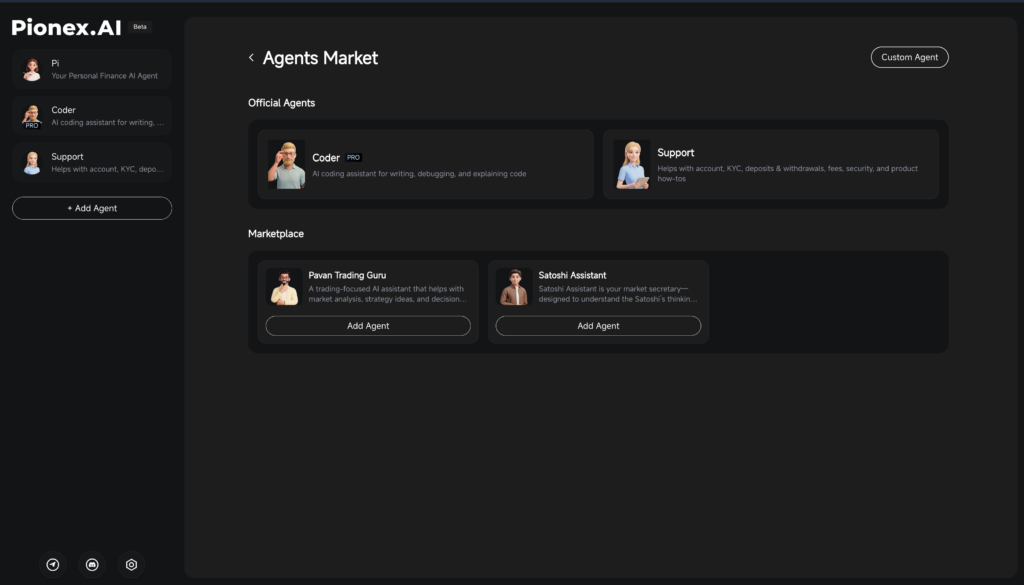
Pionex.AI is a separate conversational workspace for market research, trading-bot guidance, coding, portfolio questions, and account support.
Its current workspace includes Pi for market and trading questions, Support for account and product guidance, Coder for writing and debugging code, and Quant for strategy building and backtesting.
Pionex.AI can help research, explain, code, and prepare a trading workflow. It does not replace bot configuration or execution. Pionex built-in bots and Signal Bot execute configured strategies after the user reviews and confirms the applicable settings.
For a practical example of research before execution, see how to build and backtest a strategy with Pionex.AI Quant. That walkthrough records a historical simulation, not a live trade or proof that a strategy will make money.
Frequently Asked Questions
What is agentic trading? Agentic trading uses an AI agent to interpret information and take trading actions through connected tools, within the permissions and instructions a user grants. It is not a synonym for every automated bot.
What is agentic AI in trading? It is an AI-driven workflow that can combine reasoning with tool use. Whether an agent asks before an order depends on its instructions and controls. A fixed-rule grid bot does not become an AI agent merely because it runs automatically.
What is Robinhood agentic trading? It connects an external AI agent through MCP to a dedicated Agentic trading account. Supported orders include long equities, options and crypto, subject to eligibility. Trading-account limits do not mean the connection can read only that account.
Does Pionex have agentic trading? Pionex has built-in rule-based bots, a trade MCP toolset and the separate Pionex.AI workspace. Distinguish an AI agent using connected tools from a native bot executing configured rules and from Quant running a backtest.
What is MCP in trading? MCP means Model Context Protocol. It connects AI applications to tools that may retrieve market data, read account information or submit actions. The connector’s available tools and granted permissions determine its scope.
Do I need an API or external AI agent to use Pionex trading bots? No external agent or third-party API-key connection is needed for native Pionex bots. You still need an eligible account, supported market, sufficient funds and confirmed bot settings. Separate MCP workflows have their own connection requirements.
How is Pionex different from Robinhood for automated trading? Pionex built-in bots execute configured rules inside the platform. Robinhood Agentic Trading uses an external AI agent connected through MCP. Compare permissions, eligible products and execution controls instead of treating all automation as the same service.
Which Pionex bots use configured trading rules? Examples include Spot Grid, Futures Grid, DCA (Martingale), Infinity Grid and Smart Trade. Their order logic and risks differ, so review the specific product settings rather than relying on a headline bot count.
Can Pionex bots trade tokenized stocks? Check whether the exact tokenized-product pair appears in the selected bot’s market list. A tokenized spot instrument and a perpetual futures contract are different products; a listing in one does not establish bot support in the other.
Disclaimer: This article is for informational purposes only and does not constitute financial or investment advice. Trading cryptocurrencies and tokenized products carries significant risk. Past performance is not indicative of future results. Always conduct your own research before trading.
Product information checked September 3, 2026. Features, permissions and regional availability can change. Check the current account and product requirements before using either workflow.
